

Language SDKs
Generating Client Credentials
To securely authenticate your applications with Unmeshed, you can generate and manage Client Credentials from the UI. These credentials are typically used when integrating SDKs like the Python SDK.
⚠️ The generated token is shown only once. Please copy and save it securely. You can delete the key if you want to revoke access. Currently, credentials do not expire automatically.
Step 1: Navigate to Applications
Go to the left-side menu and click on Applications under the Admin section.
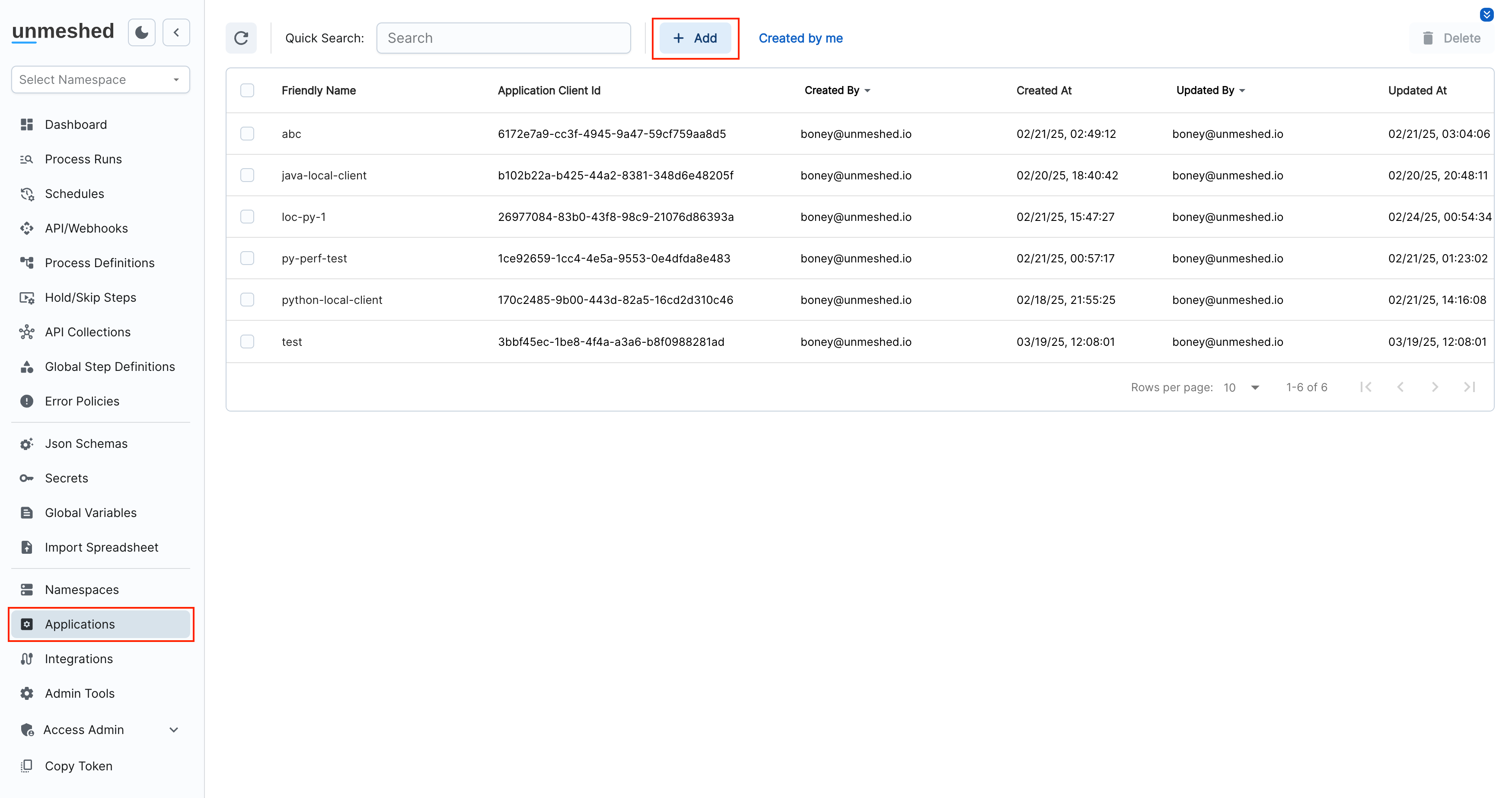
Click the Add button at the top of the screen to register a new client.
Step 2: Enter Friendly Name
You’ll be prompted to enter a Friendly Name for your client. This is for your reference only.
Example: ref-name-for-client
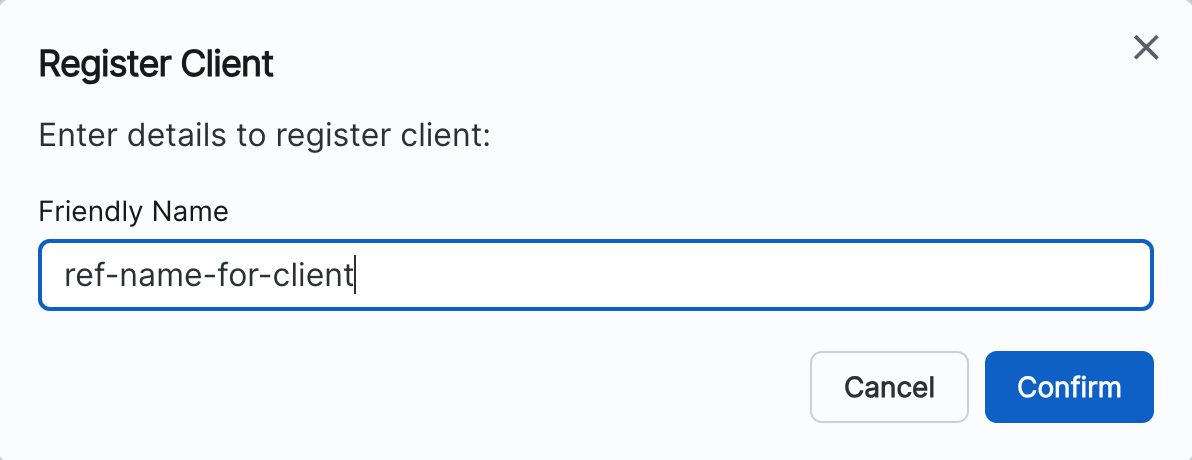
Click Confirm.
Step 3: Copy the Credentials
Once the client is registered, you will be shown:
- A Client Id
- A Token (this is only shown once!)
Copy both and store them securely. You’ll need these to authenticate your SDK or API requests.
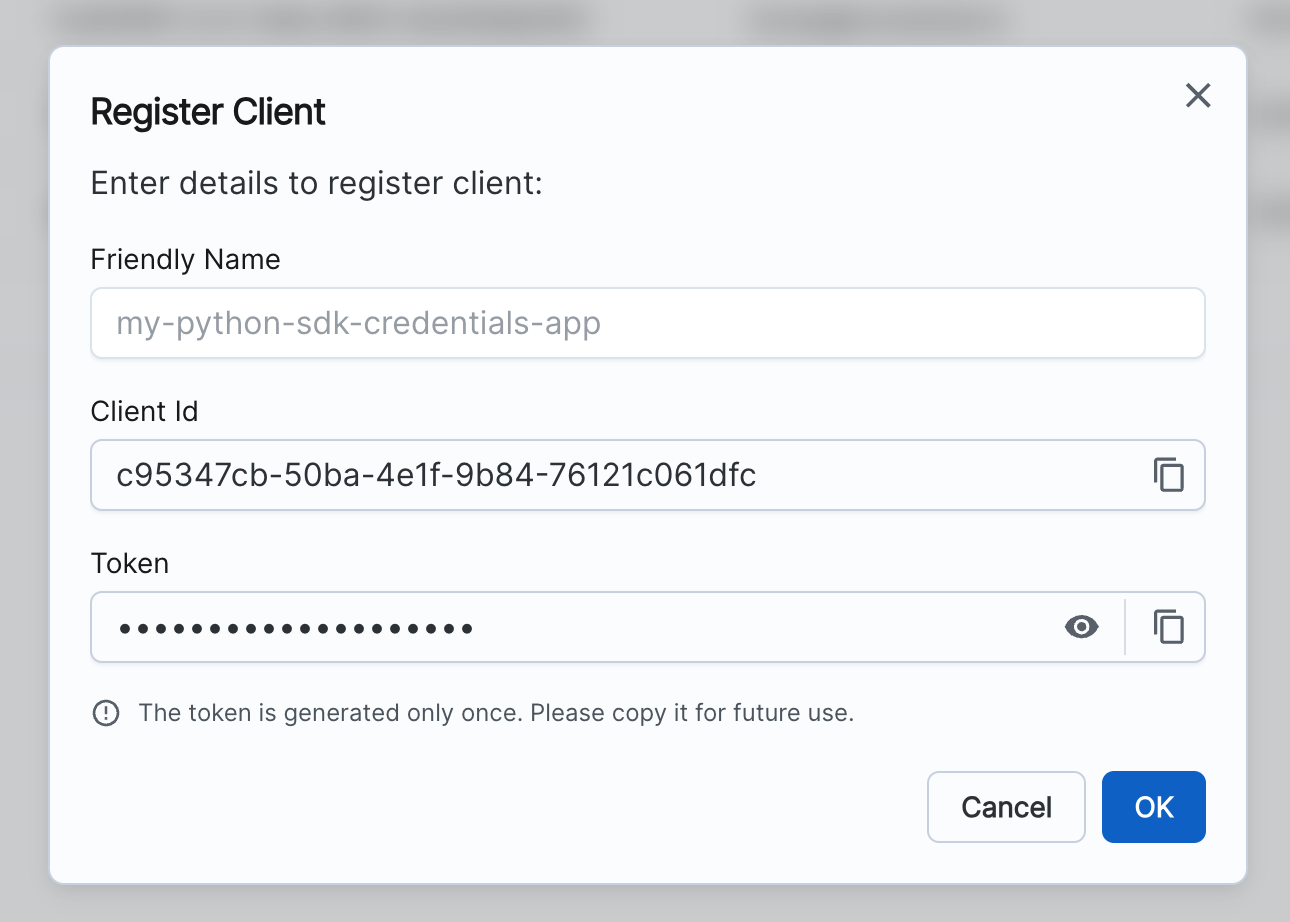
Pro Tip: If the token is lost or compromised, you can delete the client and re-create it with a new token.
Restrict Worker-Only Clients
Client credentials create or use an API client user identity. For worker-only SDK clients, you can remove broad roles from that API client user and configure its Allowed Workers Policy so the credential can only register, poll, and submit for selected workers.
See Restricting Client Credentials to Workers for the full policy model and setup workflow.
Revoking Access
To revoke credentials, simply:
- Go back to the Applications screen.
- Select the row of the client you want to delete.
- Click Delete at the top-right.
This will immediately disable access for that token.
That’s it! You’ve now generated and secured client credentials for your application. You can now use the Client Id and Token in any authenticated SDK or API call.